
Published: 3 June 2026 · Last updated: 3 June 2026 · Maintained by: BDG Game editorial team
This guide covers what the BDG Game app (sometimes called the Big Daddy Game app) actually does, the system requirements you need to run it, how to install it safely, and the most common issues players run into. It is written as a practical reference — not a download page. If you are looking for the download itself, do that only from the official BDG Game website, never from third-party “mod APK” sites.
Quick facts about the BDG Game app
| Platform | Android (native app). iOS users can access the platform via mobile browser, but there is no native iOS app. |
| Approximate file size | ~2.8 MB (small footprint; downloads quickly even on slow connections) |
| Distribution | Official BDG Game website (APK download). Not available on Google Play Store — true for the entire real-money color prediction category, not just BDG. |
| Languages | English, Hindi |
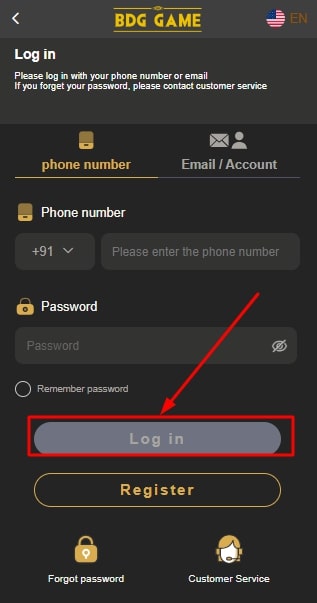
| Account login | Mobile number + OTP, or registered email + password. See the full BDG Game login guide. |
| Account creation | Step-by-step registration walkthrough available. |
What the BDG Game app actually offers
Color prediction games (the core)
The flagship format on the BDG Game app is color prediction — players bet on which color or number will appear in the next round, with rounds typically running every 30 to 60 seconds. The app shows live results, period numbers, and a history view so you can see recent outcomes. For the full mechanics of how this works (and an honest take on the odds), read our responsible gaming guide before depositing.
Aviator and crash games
The app includes Aviator-style multiplier games where you cash out before the plane “crashes”. Outcomes are RNG-driven and the multiplier point is randomised every round.
Win Go, K3 Lottery, and other formats
Win Go (a number-prediction format), K3 Lottery (a three-dice game), Wingo variants and similar formats are accessed through the games menu in the BDG Game app.
Slots and casino-style games
The app aggregates several slot and casino-style titles from third-party providers. These are typical slot mechanics with paylines, free-spin features, and progressive elements depending on the title.
Wallet and payments
In-app wallet supports UPI (Google Pay, PhonePe, Paytm), net banking, debit/credit cards, and certain digital wallets. Minimum deposit typically starts from ₹100. Withdrawals to UPI are reported by players to process within minutes during banking hours; bank transfers usually complete within 24 hours.
KYC verification
The BDG Game app requests KYC documents (typically Aadhaar and PAN) for withdrawals above a threshold. This is standard for any platform handling real money in India.
Demo / practice mode
Where available, the app provides a demo mode that lets you understand the interface and game mechanics without staking real money. Use this before depositing.
Notifications
The app sends notifications for round results, bonus offers, gift codes, and account events. You can mute these in your device settings if they become noisy.
System requirements
- Operating system: Android 5.0 (Lollipop) or higher. Most devices manufactured in the last 7+ years will support it.
- RAM: 1 GB minimum, 2 GB or more recommended for smoother gameplay.
- Free storage: About 50 MB free is sufficient (the app itself is around 2.8 MB, but it caches game assets).
- Internet: Stable 3G or better. 4G/Wi-Fi gives the best experience because real-time games need low latency.
- Permissions: Internet, storage, notifications. The app should not need access to your contacts, camera (except for KYC document upload), microphone, or location.
How to install the BDG Game app safely
- Visit only the official website at bdggameloging.com. Type the URL into your browser directly. Do not click a “BDG Game app download” link from a Telegram channel, message, or third-party site — those frequently lead to repackaged (“mod”) APKs that can steal your credentials or get your account banned for tampering.
- Tap the Download button on the official site. The APK file will save to your device’s Downloads folder.
- Allow install from unknown sources. Because the app is distributed outside the Play Store, Android will ask you to allow installation. Open Settings → Apps → Special access → Install unknown apps → select your browser → enable. Disable this permission again after installing if you are cautious.
- Open the downloaded APK and follow the installation prompts. The process typically takes under a minute.
- Verify the installed app appears as BDG Game in your app drawer with the correct icon and name. If the icon or name looks wrong, the file was tampered with — uninstall and re-download from the official site.
- Open the app and sign in using your existing BDG Game credentials, or register from inside the app if you don’t have an account yet.
Security note: Re-disable “Install unknown apps” for your browser after the install completes. This reduces the risk of malicious APKs slipping through later.
Web browser vs. BDG Game app — which should you use?
| Feature | Mobile browser | BDG Game app |
|---|---|---|
| Installation needed | No | Yes (small APK) |
| Push notifications for results | Limited | Yes |
| Speed / responsiveness | Depends on browser | Typically faster |
| iOS support | Yes | No native iOS app |
| Data usage | Higher per session | Lower (cached assets) |
| Battery usage | Higher with browser open | Lower |
If you are on Android and play more than occasionally, the BDG Game app is the better day-to-day experience. If you are on iOS, or you only play very occasionally, the mobile browser is acceptable and avoids managing an APK install.
Updating the BDG Game app safely
The app does not auto-update through the Play Store (because it isn’t distributed there). When a new version is released, you will see a prompt inside the app or on the official website. Update by going back to the official BDG Game website and downloading the latest APK from there. Never trust an “update” link sent to you via SMS, email, or social media — those are common phishing vectors. Install the new APK over the old one; your login and account data are preserved.
Common BDG Game app problems and fixes
“App not installed” error
Usually caused by either insufficient storage (free up at least 100 MB), a partially-downloaded APK (delete and re-download), or a conflict with an existing install (uninstall the old version first).
App won’t open or crashes immediately
Clear the app’s cache (Settings → Apps → BDG Game → Storage → Clear cache). If that doesn’t work, uninstall and reinstall. As a last resort, reboot the device.
OTP not received during login
Check the registered mobile number is correct and the SIM has signal; OTPs can be delayed by carrier-side spam filtering. Switch to network data instead of Wi-Fi if you are on a corporate network. Wait 60 seconds before requesting a fresh OTP — multiple rapid requests can trigger a temporary lockout.
Payment failed but money deducted
UPI provider settlement delays can cause this. The amount usually reverses within 1–3 hours. If it does not, take a screenshot of your UPI transaction, the BDG Game wallet status, and contact the app’s in-app support with the transaction reference number. For more on safe payment handling, see our honest assessment of the platform.
Withdrawal stuck in “processing”
UPI withdrawals typically settle within minutes during banking hours; bank transfers within 24 hours. If a withdrawal is stuck for more than 24 hours, raise a support ticket from inside the app with the withdrawal request ID. KYC re-verification is sometimes triggered at the moment of payout for larger amounts.
App closes during a game round
Often a memory issue on older devices. Close background apps before playing. If it persists, try the mobile browser as a fallback.
“Mod APK” warnings or unexpected behaviour
If the app starts asking for unexpected permissions, shows ads that don’t belong to it, or redirects you to login pages with different colours or fonts — uninstall immediately. You may have installed a tampered version. Re-download the official APK from the official site only.
Permissions the BDG Game app requests
- Internet — required for everything; the app is real-time multiplayer.
- Storage (limited) — for caching game assets and uploading KYC documents.
- Notifications — for result announcements and account events. You can mute these without losing functionality.
- Camera (only when uploading KYC) — used only when you take a document photo for verification. The app should not access the camera at any other time.
If the app asks for contacts, microphone, precise location, or SMS read access, that is a strong signal you have installed a tampered version. Uninstall.
Uninstalling and closing your account
Uninstalling the BDG Game app from your device does not close your account. To close the account itself, sign in (via app or web), withdraw any remaining balance to your bank, and submit an account closure request through the in-app support channel. Keep records of any final-balance transactions in case you need to follow up later.
Frequently Asked Questions
Is the BDG Game app safe to install on Android?
The app itself, downloaded from the official BDG Game website, is a standard APK. The bigger safety question is whether the source you download from is genuine. Always download from the official site and never from third-party “mod APK” pages. Verify the installed app icon and name match what you expect, and re-disable “install unknown apps” after the install.
Is there a BDG Game app for iPhone or iOS?
There is no native iOS app for BDG Game. iOS users access the platform via the mobile browser at the official website. This is standard for the real-money color prediction category — Apple’s App Store has stricter rules for this kind of content, so most platforms in this space publish only for Android.
Why isn’t the BDG Game app on Google Play Store?
Google Play’s policies restrict real-money gaming apps to a small number of approved categories and countries, and color prediction games typically fall outside what Play allows in India. This is true for the entire category, not specific to BDG Game.
How big is the BDG Game app?
The base APK is around 2.8 MB. After first use, cached game assets can grow the on-device footprint to roughly 40–80 MB depending on which game types you use.
Can I use the BDG Game app and the web version with the same account?
Yes. Your account credentials work across the app and the website. Game balance, history, and KYC status are shared.
What should I do if the BDG Game app stops working after an update?
Try clearing the cache first. If that doesn’t help, uninstall and reinstall the latest APK from the official site (your login persists). If the issue continues, raise a support ticket from inside the app or via our contact page for general site enquiries.
Does the BDG Game app drain a lot of battery?
Real-time games consume more battery than static apps because the screen stays on and network is constantly active. Reduce screen brightness, play over Wi-Fi rather than mobile data, and close other apps in the background to extend playtime.
About this guide
This BDG Game app guide is maintained by the BDG Game editorial team. We update it when new app versions are released or when system-requirement and permission information changes. For background on whether the broader platform is operating legitimately, see our “is BDG Game real or fake” assessment; for state-by-state legal status, see “is BDG Game legal or illegal in India”. Android-side documentation on installing apps from outside the Play Store is available on developer.android.com. For account issues, use the in-app support channel; for general site enquiries, our contact page is the best route.